Export work made easier with TROPS AI
Connect documents, deadlines and next steps for each deal, and find support programs relevant to your company.
Where would you like to start?
The app interface is in Korean.
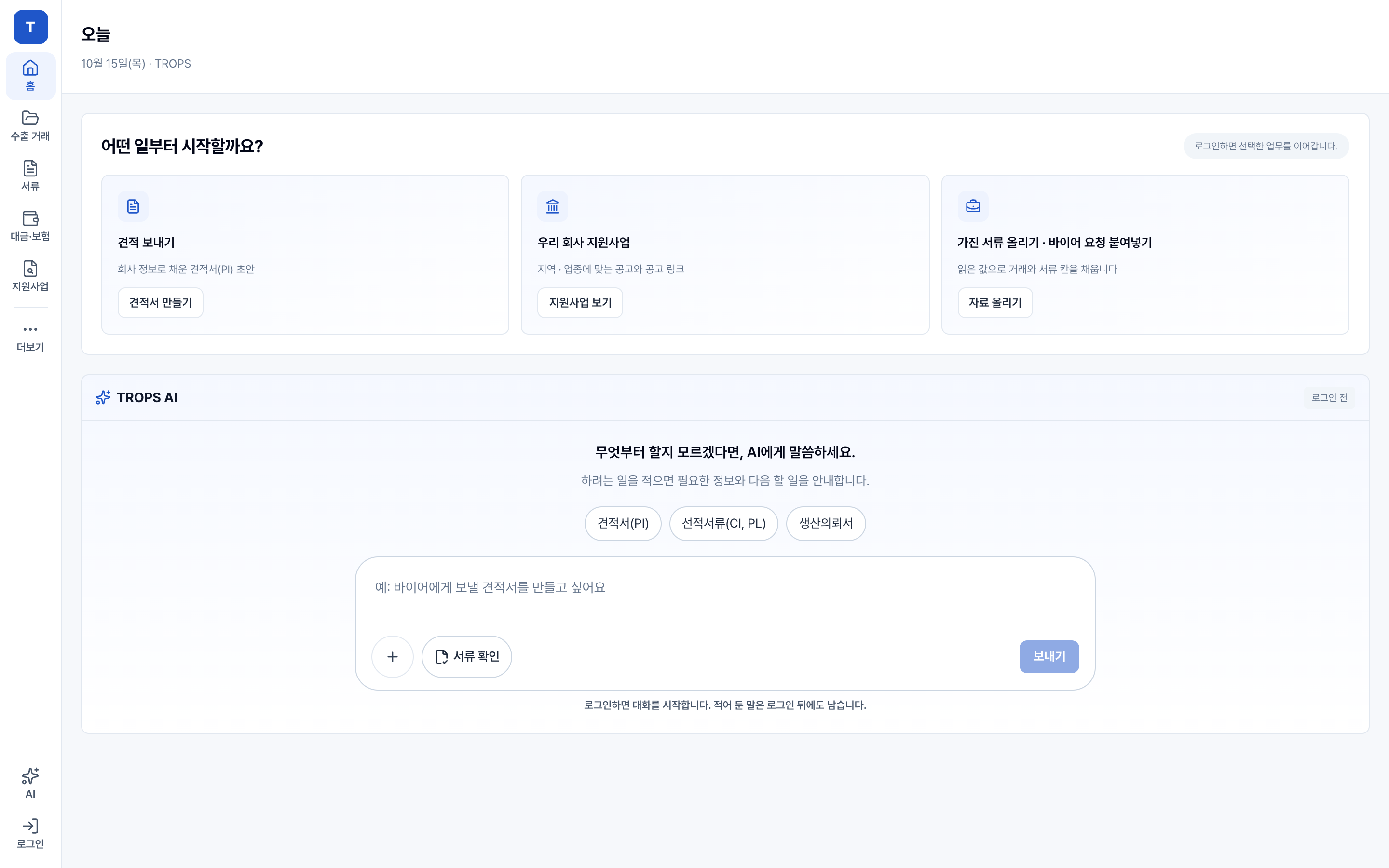
From export documents to payments, keep your work connected.
Start with the materials you have and ask AI for the help you need.
Add your materials
Quotes, purchase orders and buyer requests
Organize deals and documents
Check extracted details and prepare documents
Track payments
Amounts due and payment records by deal
Your export essentials,
in one place
-
Export documents
Prepare document drafts using your company and deal information.
Workspace example
Export documentsYour documents, togetherDocument When you need it Action Proforma invoice · PI Discussing a deal Draft Commercial invoice · CI Preparing a shipment Draft Packing list · PL Recording packing details Draft Connect company and deal details✓ Draft ready · Review detailsDocumentProforma invoice · PIDeal detailsBuyer · Items · QuantityTermsUnit price · Payment termsReview the draft before issuing or downloading it.
Check the source and instructions for each document. -
Deals and deadlines
Keep documents, deadlines and next steps together for each deal.
Workspace example
Payments expected this monthUSD 72,000 · 2 dealsContract→Shipment→PaymentDeal Buyer Stage Next deadline TR-0008 Vietnam · Hanoi Trading Shipped Shipment notice D-4 TR-0006 Philippines · Manila Supply Awaiting payment Payment due Today TR-0005 USA · Ohio Parts Contract - Illustrative deals · Actual deadlines depend on deal terms and applicable rules. -
Support program AI
Find relevant support programs with the reasons they may fit.
Workspace example
TROPS AI · Support programsFind programs for your companyFind export support programs for our company.We use your region and industry to identify relevant notices and conditions to check.Original notices and conditionsRegional export insurance supportCheck region and eligibilityOriginal notice ↗Overseas exhibition supportCheck industry and application datesOriginal notice ↗Illustrative notices · Separate confirmed conditions from points to verify.
Illustrative screen · The issuing organization determines eligibility and selection.Ask a follow-up about support programs
Export documents and procedures
Frequently asked questions
What is TROPS?
TROPS is export operations software for small and midsize businesses. Prepare export document drafts, manage deal deadlines and next steps, and find relevant support programs.
How do I start using TROPS?
Sign up at app.trops.kr, create your company and choose a task. You can start with documents or support programs before you have a signed contract. The app interface is currently in Korean. Start with TROPS →
Which export documents can I prepare?
Prepare drafts such as proforma invoices (PI), commercial invoices (CI) and packing lists (PL). Review the company and deal information before issuing or downloading a document. Check the recipient’s requirements before submitting it.
How can I track export deadlines and next steps?
View documents, progress and deadlines together for each deal. Your team confirms and records events that happen outside TROPS, such as shipment or payment.
How does TROPS AI find export support programs?
It suggests relevant notices using company information such as region and industry, with supporting reasons. Confirmed conditions and points to verify are shown separately. The issuing organization determines eligibility and selection.
Can I get help with support program applications?
After reviewing the original notice, you can inquire about help preparing application documents. TROPS does not automatically write or submit applications for every program.
Where can I check pricing and free access terms?
Current pricing, free access periods and paid access terms are available in the app. Sign in, then open the plan page in your account menu →
How are company information and export data processed?
See the app’s official privacy notice for personal data collection and use, external AI processing, retention and deletion. Privacy Notice →
Start with the export task you need today
The app interface is in Korean.